What Is OpenClaw

OpenClaw is an open-source personal AI assistant that runs on your device and responds in the messengers you already use. For a business owner, it's a way to get an autonomous assistant without another SaaS subscription and without handing your work data to a third-party service. The project has gathered over 380,000 GitHub stars and became one of the fastest-growing open-source repositories in history. Below is what this tool is, how it works, what it costs to run, and who it is for.
In short: what this means for your business
- This isn't a ready-made SaaS - it's a tool you have to deploy. OpenClaw is free and open source, but you or your IT contractor will handle setup and upkeep - the savings on subscriptions are offset by the cost of implementation.
- The main cost isn't OpenClaw itself, but the LLM provider. You pay for OpenAI/Anthropic/Google tokens based on usage, or run a local model and pay only for hardware and electricity.
- Your data stays under your control. The Gateway runs on your own machine or server, and conversations and files aren't stored by a third-party service - a plus for industries with confidentiality requirements.
- The agent takes real actions, not just replies with text: working with files, your calendar, CRM, integrations. Handy for automating routine work, but it needs clear access boundaries when connected to production systems.
- The technical bar is higher than for an ordinary chatbot. Installation via the command line and configuration through a config file mean it's hard to manage without a developer or a technically capable staff member.
- Good fit: a solo founder or small team that values control over data and flexibility. Poor fit: situations that call for a ready-made SaaS with an SLA and out-of-the-box support.
What the project is
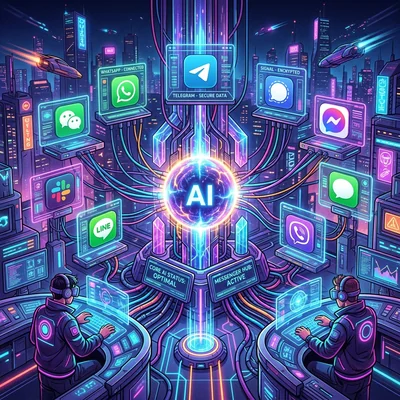
OpenClaw (formerly Moltbot and Clawdbot) is a self-hosted agent created by Peter Steinberger (founder of PSPDFKit). The project mascot is the space lobster Molty 🦞. The idea is simple: instead of yet another chat window, the assistant lives where you already spend time - WhatsApp, Telegram, Slack, Discord, Signal, iMessage, and dozens of other channels.
OpenClaw does not sell a model. You connect your own LLM - OpenAI, Anthropic, Google, local models via Ollama, or any compatible provider. A gateway on your machine routes messages, runs skills, and performs real actions: shell commands, file operations, browser automation, API calls, calendar, smart home.
The project is written in TypeScript, distributed as open source, and actively developed by the community (370+ contributors, releases roughly every two days).
How the architecture works
At the center is the Gateway - a long-running Node.js service that acts as the control plane. The product is the assistant, not the gateway: the Gateway connects communication channels to the agent and workspace.
Main components:
- Gateway - message routing, device pairing, session management
- Agent - assistant core: reasoning, tool calls, memory
- Skills - extensible capabilities; the agent can write code and add new skills for your tasks
- Channels - adapters for messengers and chat platforms
- CLI (
openclaw) - installation, onboarding, diagnostics, daemon management
Configuration is stored in a single file ~/.openclaw/openclaw.json (JSON5 format). This simplifies backup and migration between machines.
macOS, Linux, and Windows are supported. On Windows there is a native Windows Hub app for setup, tray status, chat, and local MCP mode.
In plain terms: technically, OpenClaw is a background program on your computer or server that listens for messenger messages and carries out actions on command. Deploying and maintaining it takes someone comfortable with the command line.
Key capabilities
Messengers instead of a separate UI
OpenClaw connects to 50+ channels: WhatsApp, Telegram, Slack, Discord, Google Chat, Signal, iMessage, Microsoft Teams, Matrix, IRC, Feishu, LINE, Mattermost, WebChat, and more. You message the assistant from a familiar app - it replies and runs tasks on your machine.
Local-first and data control
Data and logs stay on your hardware. LLM requests go only to the provider you choose - you can use local models and avoid sending work documents to a cloud chat.
Autonomous actions
The agent is not limited to text replies. It can:
- run terminal commands
- read and modify files in the workspace
- automate the browser
- call external APIs
- schedule tasks and reminders
- manage integrations (calendar, smart home, CRM)
Voice, Canvas, and mobile clients
On macOS, iOS, and Android, voice input and spoken replies are supported. Canvas is a live visual layer controlled by the assistant (useful for dashboards, forms, previews).
Skills system and self-improvement
Skills are modular extensions of agent behavior. The community publishes ready-made skills; the assistant can write a new skill for a recurring task and keep it across sessions. This sets OpenClaw apart from one-off chatbots.
Model-agnostic
A current flagship from a trusted provider is recommended, but the architecture is not tied to one model. The issue tracker actively discusses setups with Qwen 3.5-Coder, Hermes, Gemma 4, GLM-5, and other local models.
Quick start
The section below is for the developer or IT contractor who will deploy OpenClaw. If you're a business owner and want to first understand whether this tool is right for you, skip ahead to "Who OpenClaw is for."
Requirements: Node 24 (recommended) or Node 22.19+.
npm install -g openclaw@latest
openclaw onboard --install-daemon
The onboard command walks through setup step by step: gateway, workspace, channels, skills, and pairing. The --install-daemon flag installs a background service (launchd on macOS, systemd on Linux) so the assistant runs 24/7.
Check status:
openclaw gateway status
For debugging, you can run the gateway in the foreground:
openclaw gateway --port 18789 --verbose
Documentation: docs.openclaw.ai, website: openclaw.ai.
Who OpenClaw is for
| Scenario | Why OpenClaw |
|---|---|
| Business owner / small team | Savings on SaaS subscriptions and control over company data - but requires technical resources for setup and upkeep |
| Personal automation | Assistant in Telegram/WhatsApp runs tasks on your PC |
| Privacy-first workflow | Self-hosting, model choice, workspace control |
| Power user / developer | Shell, API, skills, extensible architecture |
| Always-on helper | Daemon + messengers = access from your phone anytime |
| Local LLMs | Ollama and open weights without vendor lock-in |
It fits less well where you need enterprise SLA, centralized IAM, and ready managed SaaS without DevOps. OpenClaw is a tool for a single user (or a small self-hosted setup), not an out-of-the-box corporate platform.
Pros and limitations
Strengths:
- explosive growth of the ecosystem and community skills
- unique UX through messengers
- open source and portability across OSes
- flexible LLM providers
- active releases and mature CLI setup
- for a business, direct savings on subscriptions and full control over your data
Things to watch:
- security depends on your configuration: an agent with shell access needs deliberate workspace limits
- the project is young - APIs and best practices change quickly, so plan on ongoing time for upkeep
- channel setup (especially WhatsApp, iMessage) can take a specialist's time
- complex tasks still need a strong model - local LLMs are catching up but are not everywhere at the level of GPT-5.6 Sol or Claude Fable 5
- without a dedicated technical resource (in-house or outsourced), keeping the installation running is difficult
OpenClaw in the 2026 context
The AI agent market has shifted from demo chats to work tools: ChatGPT Work, Claude Cowork, Gemini Spark - products from major labs. OpenClaw occupies a different niche - a personal, local, messenger-centric assistant without a platform subscription.
The rise of local-first models (Qwen 3.6, DeepSeek V4, Gemma 4, GLM-5) made self-hosted agents more practical: quality on real tasks is closer to closed APIs, and OpenClaw already has infrastructure for that wave.
If you want a 24/7 Jarvis on your own hardware with access from WhatsApp at 2 AM - OpenClaw is today one of the most mature open-source options in this category.
If you need help with development, AI implementation, or website support for your project - contact me.
Frequently asked questions
Is OpenClaw a chatbot or a full agent?
A full agent. Beyond chat replies, OpenClaw performs actions on your machine: terminal, files, browser, API, skills from the ecosystem. The gateway only links messengers to the agent - the product is the assistant itself.
Do I need a paid OpenClaw subscription?
No. OpenClaw itself is free and open source. You only pay for an LLM provider if you use a cloud API (OpenAI, Anthropic, Google). With local models via Ollama, costs boil down to power and hardware.
Is OpenClaw a good fit for a company?
Yes, with caveats. OpenClaw covers a small team's or solo founder's needs well: control over data, no subscription, flexibility. A larger company with SLA requirements, centralized access, and compliance needs is better served by a ready-made enterprise platform - or by deploying OpenClaw through its own IT team with carefully planned isolation and access controls.
How much does it cost to maintain OpenClaw for a business?
The tool itself is free. The real costs are paying the LLM provider per token (for cloud models) and a specialist's time for the initial setup and periodic upkeep. With local models via Ollama, there's almost no direct LLM cost, but you need your own hardware.
Which messengers are supported?
More than 50 channels: WhatsApp, Telegram, Slack, Discord, Signal, iMessage, Google Chat, Microsoft Teams, Matrix, IRC, Feishu, LINE, Mattermost, WebChat, and more. The full list is in the documentation.
Can I use local models without the cloud?
Yes. OpenClaw is model-agnostic: Ollama and other local runtimes connect. In 2026 many run Qwen 3.5-Coder, Hermes, Gemma 4, or GLM-5 for coding and routine automation without sending data to the cloud.
Is it safe to give the agent shell access?
An agent with shell access is powerful but risky. Recommendations: limit the workspace to a separate directory, do not run as root, review skills before installing, use pairing for channels, update OpenClaw regularly. For production-critical environments, isolate the gateway in a VM or container and explicitly whitelist allowed tools.
Terms in this article
open-source — software with publicly available source code
SaaS — Software as a Service
LLM — Large Language Model
CRM — Customer Relationship Management
production — live environment serving real users
chatbot — conversational bot interface
self-hosted — software you run on your own servers
SLA — Service Level Agreement
Ollama — tool to run local open-weight LLMs on your machine
control plane — plane that manages and configures the system
daemon — background system process
backup — copy kept for recovery
MCP — Model Context Protocol
canvas — visual editor canvas for flows or layouts
self-hosting — running software on your own servers
vendor lock-in — hard to leave a vendor without costly rewrite
open weights — model weights you can download and run yourself
DevOps — Development and Operations
IAM — Identity and Access Management