Local LLMs with Ollama: Installation and Usage
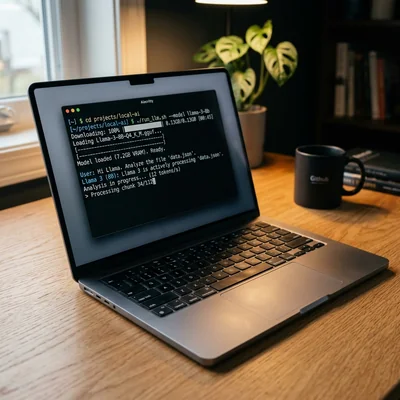
Ollama is a tool for running large language models (LLMs) locally on your computer or server. It downloads models, manages them, and provides a CLI and HTTP API without a cloud subscription or sending data to third parties. Below - why local models matter, how to install Ollama on Windows, macOS, and Linux, which models to choose, and how to connect them to your apps. This guide is useful for both technical staff and business owners weighing a local setup against a cloud API on cost, data privacy, and team requirements.
- Privacy - prompts and documents never leave your machine
- Offline - works without internet after the model is downloaded
- Free - no per-token fees, only your hardware and electricity
- API - OpenAI-compatible format for Cursor, n8n, LangChain, and other tools
What is Ollama
Ollama is an open-source runtime for local LLMs. It simplifies what used to require manual setup of llama.cpp, CUDA, Python environments, and weight conversion: one command ollama pull llama3 downloads a model, ollama run llama3 starts an interactive chat.
Under the hood, Ollama uses llama.cpp and its own Modelfile format - like a Dockerfile for models. You can:
- run ready-made models from the Ollama library;
- create custom variants with system prompts, parameters, and adapters;
- call the model via REST API at
http://localhost:11434.
Ollama does not replace cloud flagships like GPT-5.6 or Claude Fable 5 for complex agent tasks, but covers a large set of scenarios: draft writing, summarization, classification, RAG over internal documents, prompt prototyping, and development without burning API credits.
Why run LLMs locally
| Criterion | Cloud API | Ollama (local) |
|---|---|---|
| Privacy | Data on provider servers | Data stays on your machine |
| Cost | Pay per token | Free (except hardware) |
| Latency | Depends on network | Minimal on localhost |
| Top model quality | Higher | Lower for open-weight models |
| Offline | No | Yes, after weights are downloaded |
Local models are especially useful for:
- Corporate data - contracts, email, codebases you cannot send to SaaS.
- Development - testing RAG and agent pipelines without an API bill.
- Edge and air-gapped - servers with no internet, labs, field deployments.
- Experiments - quick model and parameter swaps without changing providers.
Hardware requirements
RAM and GPU availability determine which model you can run comfortably.
| Model (example) | Parameters | RAM (CPU) | VRAM (GPU) |
|---|---|---|---|
| Llama 3.2 | 3B | 4-8 GB | 4 GB |
| Qwen 3 | 8B | 8-16 GB | 6-8 GB |
| Llama 3.1 | 8B | 8-16 GB | 6-8 GB |
| Mistral | 7B | 8-16 GB | 6-8 GB |
| Qwen 3 | 32B | 32+ GB | 20-24 GB |
| Llama 3.1 | 70B | 64+ GB | 40-48 GB |
CPU-only works but is slow: a 7B model on 16 GB RAM without a GPU yields a few tokens per second. A GPU (NVIDIA with CUDA, Apple Silicon with Metal) speeds up generation dramatically. On Mac with M1/M2/M3/M4, Ollama uses Metal out of the box; on Windows and Linux you need an NVIDIA GPU with an up-to-date driver.
If RAM is tight - pick quantized models (Q4, Q5): they use less memory with a small quality trade-off.
Installation
Windows
- Download the installer from ollama.com/download.
- Run the
.exeand finish the setup wizard. - Ollama starts as a background service; an icon appears in the system tray.
- Open PowerShell or cmd and verify:
ollama --version
macOS
brew install ollama
Or download the .dmg from the site. On Apple Silicon, Metal is enabled automatically.
Linux
Official script:
curl -fsSL https://ollama.com/install.sh | sh
For a systemd service after install:
sudo systemctl enable ollama
sudo systemctl start ollama
Docker
If you need isolation or server deployment:
docker run -d -v ollama:/root/.ollama -p 11434:11434 --name ollama ollama/ollama
For GPU on Linux, add --gpus all.
First steps: CLI
Download and run a model
ollama pull llama3.2
ollama run llama3.2
pull downloads weights to ~/.ollama/models (or %USERPROFILE%\.ollama\models on Windows). run opens an interactive chat. Exit with /bye or Ctrl+D.
Useful commands
ollama list              # installed models
ollama ps                # currently running
ollama rm llama3.2       # remove a model
ollama show llama3.2     # parameters and Modelfile
ollama pull qwen3:8b     # specific tag
Tags define size and quantization: llama3.1:8b, mistral:7b-instruct-q4_K_M, qwen3:32b. See the model page in the Ollama library for available tags.
One-shot request without chat
ollama run llama3.2 "Explain what RAG is in three sentences"
HTTP API
Ollama serves on port 11434. The format is close to OpenAI Chat Completions - many clients connect without changes.
Chat (streaming)
curl http://localhost:11434/api/chat -d '{
  "model": "llama3.2",
  "messages": [{"role": "user", "content": "Hello!"}],
  "stream": true
}'
Generate (simple prompt)
curl http://localhost:11434/api/generate -d '{
  "model": "llama3.2",
  "prompt": "Write a haiku about local models",
  "stream": false
}'
OpenAI-compatible endpoint
With versions supporting /v1/chat/completions:
curl http://localhost:11434/v1/chat/completions \
  -H "Content-Type: application/json" \
  -d '{
    "model": "llama3.2",
    "messages": [{"role": "user", "content": "Hello"}]
  }'
In Cursor, Continue, Open WebUI, and n8n set Base URL to http://localhost:11434/v1 and the model name from ollama list.
Which models to choose
Guidelines for 2026:
| Task | Models | Notes |
|---|---|---|
| Fast chat, weak hardware | Llama 3.2 3B, Qwen 3 4B, Phi-4 mini | Minimum RAM |
| General balance | Llama 3.1 8B, Mistral 7B, Qwen 3 8B | Sweet spot for 16 GB |
| Code and instructions | Qwen 3 Coder, DeepSeek Coder V2, Codestral | Better at SQL, Python, diffs |
| Multilingual | Qwen 3, Llama 3.1 | Qwen is strong multilingual |
| Long context | Qwen 3, Llama 3.1 8B (128K+) | RAG and large documents |
| Max local quality | Qwen 3 32B, Llama 3.1 70B, Mistral Large | Needs powerful GPU or lots of RAM |
Start with Qwen 3 8B or Llama 3.1 8B - acceptable quality on a typical 16 GB laptop. For production RAG, compare 2-3 models on your real queries: site benchmarks do not replace your domain.
Modelfile: custom model
A Modelfile sets system prompt, temperature, context, and base model:
FROM llama3.2

PARAMETER temperature 0.3
PARAMETER num_ctx 8192

SYSTEM """
You are a technical support assistant.
Answer briefly, step by step, in English.
If you do not know the answer - say so.
"""
Create and run:
ollama create support-bot -f Modelfile
ollama run support-bot
This fixes behavior for the team without changing client code.
Integrations
Cursor and IDEs
In model settings, set OpenAI-compatible endpoint: http://localhost:11434/v1, API key can be empty or ollama. Model - name from ollama list. Local models suit drafts and refactoring; complex agentic coding still favors cloud Codex or Claude Code.
Open WebUI
Open WebUI - a ChatGPT-style web UI on top of Ollama. Good for teams: chat history, PDF upload, RAG built in.
docker run -d -p 3000:8080 --add-host=host.docker.internal:host-gateway \
  -v open-webui:/app/backend/data --name open-webui \
  ghcr.io/open-webui/open-webui:main
n8n, LangChain, LlamaIndex
- n8n - Ollama Chat Model node or HTTP Request to
/api/chat. - LangChain -
ChatOllama(base_url="http://localhost:11434", model="qwen3:8b"). - LlamaIndex -
Ollamaas LLM and embedding (if the model supports it).
Local RAG
Typical stack: Ollama (LLM + embeddings via nomic-embed-text or mxbai-embed-large) + ChromaDB or Qdrant + your documents. Everything works offline after indexing.
Operations tips
- Keep one model in memory -
ollama psshows loaded models;ollama stop <name>frees RAM. - num_ctx - increase context only when needed; larger context = more memory and slower inference.
- Update Ollama - new releases bring speedups and model support.
- Monitoring - on servers watch GPU temperature and swap; low RAM causes thrashing.
- Do not confuse privacy with security - a local model does not send data outward, but malicious prompts or a vulnerable agent are still risky on your machine.
Limitations
- Open-weight 8B models trail top cloud flagships on hard reasoning and long agent chains.
- Large models (32B+) need expensive hardware; cloud may be cheaper than a $2000+ GPU if load is sporadic.
- Multimodal (images, audio) in Ollama is model-dependent - check tag support.
- Weight updates are your responsibility; cloud providers patch models for you.
When to stay in the cloud
- Your team has no one to handle server setup, updates, and monitoring.
- Usage is small and irregular - a cloud API bill can be cheaper than idle hardware.
- You need the best possible quality for hard reasoning or multimodal tasks, where local models still trail top cloud offerings.
- You need a formal SLA or vendor certification (e.g., SOC 2, ISO) - cloud providers offer these; a self-hosted setup does not by default.
For many tasks, Ollama + 8B model + RAG is a practical balance of quality, cost, and privacy.
Summary
Ollama lowers the barrier to local LLMs to a few commands: install, pull, run. The API is OpenAI-ecosystem compatible, so the same model works in CLI, web UI, IDE, and automations. Start with Qwen 3 8B or Llama 3.1 8B on your hardware, tune a Modelfile for your scenario, and add RAG if you need facts from your documents - without sending data to the cloud.
If you need help with development, AI implementation, or website support for your project - contact me.
Frequently Asked Questions
Do I need a GPU for Ollama?
No, Ollama runs on CPU-only, but inference will be much slower. For comfortable chat with 7B-8B models, a GPU (NVIDIA CUDA) or Apple Silicon with Metal is recommended. On 16 GB RAM without GPU, choose light 3B-4B models or aggressive Q4 quantization.
Where are downloaded models stored and how large are they?
By default in ~/.ollama/models (Linux/macOS) or %USERPROFILE%\.ollama\models (Windows). Size depends on the model: 7B-8B in Q4 is roughly 4-5 GB, 70B is tens of GB. Remove with ollama rm <name>. Override path with OLLAMA_MODELS.
Can I use Ollama in Docker on Windows with GPU?
Yes, via WSL2 and NVIDIA Container Toolkit: Docker Desktop with WSL2 backend, NVIDIA driver for WSL, ollama/ollama image with --gpus all. Native Docker Desktop without WSL2 usually does not expose GPU to Ollama. Simpler alternative - native Ollama install for Windows from the official site.
How do I connect Ollama to Cursor or another OpenAI API client?
Set Base URL to http://localhost:11434/v1, API key to any string (e.g. ollama), model to the exact name from ollama list (e.g. qwen3:8b). Ensure Ollama is running and the model was pulled. If the client runs in Docker, use host.docker.internal:11434 instead of localhost.
Is it safe to send confidential data to a local model?
Data does not go to Ollama Inc. servers during local inference - processing happens on your machine. But app logs, Open WebUI chat history, and disk backups may store prompts. For strict compliance, set retention policies, encrypt disks, and disable third-party UI telemetry. Local inference does not remove leak risks from VM snapshots and shared server accounts.
Terms in this article
Ollama — tool to run local open-weight LLMs on your machine
LangChain — framework for building LLM applications
n8n — open-source workflow automation platform
open-source — software with publicly available source code
REST API — HTTP API that exposes resources via URLs and verbs
RAG — Retrieval-Augmented Generation
open-weight — model weights you can download and run yourself
latency — delay before a response arrives
air-gapped — network fully isolated from the public internet
SaaS — Software as a Service
GPU — Graphics Processing Unit
long context — model that can take a very large prompt in one go
production — live environment serving real users
system prompt — hidden instructions that steer the model for a task
endpoint — specific API URL that accepts requests
API key — secret token that authenticates API callers
agentic — agent-like autonomous multi-step behavior
LlamaIndex — framework for connecting LLMs to private data
embedding — numeric vector that captures text meaning
LLM — Large Language Model
Qdrant — vector database for similarity search
inference — running a trained model to get predictions
self-hosted — software you run on your own servers
SLA — Service Level Agreement
backend — server-side logic, APIs and data layer
retention — keeping users/customers over time