What is n8n

n8n is a workflow automation platform with a visual editor and a fair-code open-source core. For a business owner, it's a way to take repetitive data-moving work off your team's plate — capturing leads, updating a CRM, sending notifications — without hiring a developer for every single integration. You connect services, APIs, and databases into chains: data arrives via webhook, gets processed, and goes to Slack, Google Sheets, a CRM, or anywhere else. Below is what the tool is, what it costs to run, how it differs from Zapier and Make, and who it's a good fit for.
In short: what this means for your business
- It's an open-source tool, not a ready-made SaaS. You can self-host n8n for free, or use managed n8n Cloud from ~€20/month — you pay for hosting and setup time, not for a subscription with support included out of the box.
- No per-operation fees. Unlike Zapier and Make, self-hosted n8n has no cap on how many times a workflow runs — this cuts costs noticeably at high lead or integration volume.
- Your data stays under your control with self-hosting: leads, payments, and customer data never pass through someone else's cloud — a plus for industries with confidentiality requirements.
- The learning curve is steeper than Zapier's. Deploying and maintaining n8n needs a developer or a technically capable staff member; without that, a managed n8n Cloud or a SaaS competitor is the simpler path.
- Covers common business workflows without building a separate app: a lead from your site → enrichment via API → CRM record → a Telegram or Slack notification.
- Good fit: teams with technical capacity who care about data control and avoiding per-operation fees. Poor fit: cases that need a fully turnkey SaaS with zero configuration.
What is this project
n8n (pronounced "n-eight-n", from "nodemation") is a fair-code workflow automation platform created by Jan Oberhauser in Berlin. The project started in 2019 and grew into one of the most popular open-source tools for no-code/low-code automation: it has hundreds of thousands of stars on GitHub and an active community.
The idea behind n8n is simple: instead of writing a script for every integration, you build a workflow — a graph of nodes. Each node does one action: fetch an email, filter JSON, call an HTTP request, write a row to a spreadsheet. Connections between nodes pass data along the chain.
n8n is not tied to a single cloud. You can:
- run it self-hosted on your own server, in Docker or Kubernetes;
- use n8n Cloud — managed hosting from the project team;
- embed it in CI/CD and internal infrastructure as part of a data pipeline.
The license is fair-code: source code is open, self-hosting is free for most use cases, but some enterprise features and large-scale commercial use may require separate terms. For teams and pet projects this is usually not a barrier.
How a workflow is structured
At the center of n8n is a canvas, a drag-and-drop workflow editor. A workflow consists of:
- Trigger — entry point: webhook, schedule (cron), Gmail event, new row in Airtable, etc.
- Nodes — processing steps: data transformation, conditions (IF), loops, API calls.
- Connections — lines between nodes; JSON objects with fields flow through them and are available in the next step via expressions.
Data in n8n is an array of items, where each item is a JSON object. A node receives items, processes them, and passes them on. This is convenient for batch operations: one webhook with an array of orders can spawn dozens of parallel branches.
Expressions use syntax similar to JavaScript: {{ $json.email }}, {{ $now }}, access to previous node data via $('Node Name'). For complex logic there is a Code node — full JavaScript or Python right inside the workflow.
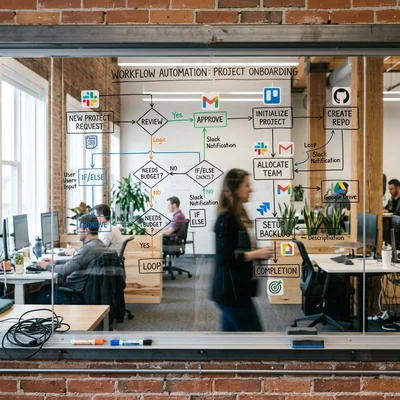
In plain terms: a workflow is a flowchart where each box does one action and the arrows show where the data goes next. You build it with your mouse, without opening a code editor.
Key features
Integrations
More than 400 ready-made nodes for popular services: Google Workspace, Slack, Notion, HubSpot, Stripe, Telegram, PostgreSQL, Redis, AWS S3, OpenAI, and hundreds more. If there is no ready node — HTTP Request covers any REST API, and Webhook accepts incoming requests from your applications.
AI and agents
As LLMs grew, n8n added nodes for OpenAI, Anthropic, Google Gemini, and local models via Ollama. You can build chains: incoming request → classification via LLM → routing to different branches → reply in chat. The AI Agent node lets you assemble simple agents with tools without a separate backend.
Versioning and debugging
Workflows are saved with a change history. Test workflow mode runs the chain on real or test data without publishing. For each node you see input and output — this speeds up debugging compared to a "black box" in pure code.
Scaling
Self-hosted n8n runs as a Node.js application. For load you use:
- queue mode with Redis and separate worker processes;
- horizontal scaling in Kubernetes;
- splitting triggers and execution across different instances.
For small teams, a single Docker container on a VPS is enough.
n8n vs Zapier and Make
| Criterion | n8n | Zapier | Make (Integromat) |
|---|---|---|---|
| Model | Fair-code, self-host | SaaS only | SaaS only |
| Price | Free self-host; cloud from ~€20/mo | From $19.99/mo, task limits | From $9/mo, credits per operation |
| Code | JavaScript/Python in nodes | Limited formulas | Built-in functions |
| Data | On your server | In Zapier cloud | In Make cloud |
| Complexity | Higher learning curve | Easier for beginners | Medium, visual router |
Zapier is the best choice for a quick start without DevOps: connect Gmail to Notion in five minutes. Make is more flexible in visual routing and JSON handling. n8n wins where data control, custom code, unlimited webhook calls on your own hardware, and no per-"operation" fees with self-hosting matter.
Who n8n is for
| Scenario | Why n8n |
|---|---|
| Startups and product teams | Fast integrations without a dedicated backend developer per connector |
| DevOps and data engineers | ETL, sync between systems, alerts from monitoring to Slack |
| Marketing and sales | Site lead → enrichment via API → CRM record → Telegram notification |
| Personal automation | Note backups, RSS digests, smart home via webhook |
| AI prototypes | Pipeline from document to embedding, RAG bot with reply in a messenger |
It fits less well if the team is not ready to administer a server and needs turnkey SaaS without a single line of configuration — then Zapier or n8n Cloud is simpler.
How to get started
The section below is for the developer or IT contractor who will deploy n8n. If you're a business owner and want to first decide whether this tool is worth investing in, use the "In short: what this means for your business" and "Strengths and limitations" sections instead.
Minimal path for self-hosted:
- Install via Docker:
docker run -it --rm --name n8n -p 5678:5678 -v n8n_data:/home/node/.n8n docker.n8n.io/n8nio/n8n - Open
http://localhost:5678, create an account (local). - Create a workflow: Webhook trigger → Set node for processing → HTTP Request or any service.
- Activate the workflow and send a test POST to the webhook URL.
For production, add a reverse proxy (nginx, Caddy), HTTPS, backups of the volume with credentials, and environment variables for secrets. Do not store API keys in nodes in plain text for team work — use the Credentials store.
Documentation: docs.n8n.io. The community is active on the forum and GitHub Discussions.
Strengths and limitations
Strengths:
- no per-operation fees with self-hosting — costs stay predictable even as volume grows
- full control over data and infrastructure
- 400+ ready integrations, plus HTTP Request and Webhook for everything else
- you can write code (JavaScript/Python) wherever a ready node isn't enough
- an active community and fast development, including nodes for AI agents
What to watch out for:
- deploying and maintaining the self-hosted version needs a developer or IT contractor
- with self-hosting, backups, updates, and security are your responsibility
- the learning curve is steeper than Zapier's — overkill for very simple one-off integrations
- an open webhook without authentication is an entry point into your integrations and needs its own protection
Summary
n8n is a mature open-source alternative to Zapier and Make for those who need visual automation with the ability to write code, keep data on their own infrastructure, and not pay per workflow step with self-hosting. For a business owner, it's primarily a way to cut costs on repetitive integrations and eliminate manual data transfer between services — provided you have someone to deploy and maintain it. The entry barrier is slightly higher than pure SaaS, but it pays off in flexibility: from a simple "form → Slack" to AI agents and complex data pipelines.
If you already use APIs, webhooks, and cloud services — n8n is often faster and cheaper than spinning up a separate microservice for every integration.
If you need help with development, AI implementation, or website support for your project - contact me.
Frequently asked questions
Is n8n free?
Self-hosted n8n is free for most scenarios: you only pay for the server it runs on. n8n Cloud is paid managed hosting with plans from around €20 per month. Enterprise features (SSO, advanced permissions) may require a separate license — details are in the fair-code terms on the project site.
What does it cost to run n8n for a business?
With self-hosting, there's no direct license cost — you pay for a server (from a few dollars a month for a small team) and specialist time for setup and upkeep. With n8n Cloud, a subscription from ~€20/month is added, but you no longer have to worry about infrastructure. Additional costs may come from paid APIs of the services you integrate with — for example, LLM provider tokens for AI workflows.
Do you need to know how to program?
Not for simple scenarios: ready-made nodes and workflow templates cover typical integrations. For non-trivial logic — filtering, merging data, custom APIs — basic JavaScript and understanding JSON help. The Code node lets you get by without a separate backend repository.
How is n8n different from Zapier?
Main differences: n8n can be deployed on your own infrastructure, data does not have to pass through someone else's cloud, there is no per-operation fee with self-hosting, and there is more freedom with code and HTTP. Zapier is easier to onboard and has more "one-click" integrations for non-technical users.
Can n8n be used with local LLMs?
Yes. There are nodes for Ollama, LM Studio, and arbitrary OpenAI-compatible APIs. A typical scenario: webhook with a question → Ollama node → reply in Telegram. For production, run inference on a separate GPU server and cache frequent requests.
Is it safe to store credentials in n8n?
Credentials are encrypted in the n8n database with an instance key. For production: HTTPS at the edge, restrict UI access via VPN or SSO, regular updates, backups without exporting secrets in plain text, separate credentials per environment (dev/staging/prod). Do not expose n8n to the internet without authentication — webhook URLs become entry points into your integrations.
Terms in this article
n8n — open-source workflow automation platform
workflow automation — chaining steps and tools without manual handoffs
fair-code — source-available license with commercial use limits
open-source — software with publicly available source code
CRM — Customer Relationship Management
Zapier — SaaS that connects apps with no-code automations
SaaS — Software as a Service
self-hosted — software you run on your own servers
self-hosting — running software on your own servers
no-code — building apps with visual tools, little or no programming
low-code — building apps mostly visually, with some custom code
data pipeline — automated flow that moves and transforms data
CI/CD — Continuous Integration / Continuous Delivery
Airtable — spreadsheet-database hybrid for lightweight apps
canvas — visual editor canvas for flows or layouts
REST API — HTTP API that exposes resources via URLs and verbs
HubSpot — CRM and marketing platform for inbound growth
horizontal scaling — scale by adding more instances
Ollama — tool to run local open-weight LLMs on your machine
queue mode — execution via a background job queue
backend — server-side logic, APIs and data layer
LLM — Large Language Model
worker — background job processor
VPS — Virtual Private Server
DevOps — Development and Operations
embedding — numeric vector that captures text meaning
router — routes requests or dialog turns
pipeline — sequence of processing stages
reverse proxy — front server that routes requests to backends
production — live environment serving real users
ETL — Extract, Transform, Load
RAG — Retrieval-Augmented Generation
API keys — secret tokens that authenticate API callers
webhooks — HTTP callbacks when events happen
LM Studio — desktop app to download and chat with local LLMs
inference — running a trained model to get predictions
GPU — Graphics Processing Unit
VPN — Virtual Private Network
SSO — Single Sign-On