Blog — page 3

Rufat Nuriyev updated

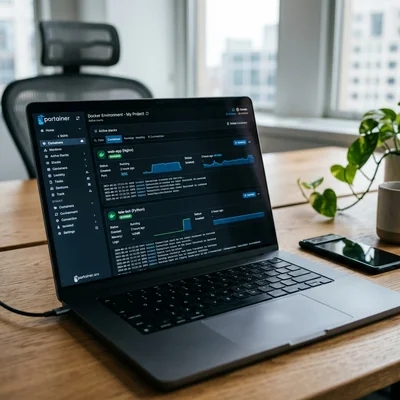
Docker interface with isolated containers on a laptop screen

Docker is a way to package a Telegram bot, an API, a job queue, or a bundle of services into a container: the same code, dependencies, and environment on a developer laptop, on a VPS, and in the cloud. An ordinary business site does not need Docker by default - the normal setup is a VPS with nginx, PHP/Python, and a database without containers; most projects run fine that way. Containers make sense when you also run a bot, several services, frequent releases, or a team that needs identical deploys. Below - where Docker actually helps and where it is better not to add complexity.

  • Container - an isolated process with the app and its dependencies; lighter than a full VM
  • Image - a template for how to build and run; a container is a running instance of an image
  • Ordinary site - VPS + web server + PHP/Python + DB without Docker; a working default, not an “outdated” approach
  • For a bot - stable runtime, restarts, secrets kept apart from code; here Docker pays off more often
  • Compose - one file for several services (bot + API + DB), not required for a simple site
  • Not a silver bullet - if a site already runs stably on a VPS, containers add a layer without clear upside


Read more

Rufat Nuriyev updated

PWA interface on a smartphone screen and manifest.json code on a laptop

A Progressive Web App (PWA) is a website that can be installed on the home screen, opens almost like a native app, and can work offline or on a weak connection. For many businesses a full App Store and Google Play release is extra months and budget: catalogs, client portals, booking, restaurant menus, and B2B cabinets often solve the job with a PWA built on regular HTML, CSS, and JavaScript. Below - when a “site as an app” is enough, which technologies are required, and where native is still necessary.

  • PWA - site + manifest + service worker: icon, fullscreen, cache, sometimes push
  • Not a replacement for every app - heavy graphics, deep device access, and hard App Store SLAs stay native
  • One codebase - one web version instead of separate iOS/Android teams at the start
  • Updates without stores - ship to the server: users get the new version on the next visit
  • SEO remains - these are still pages in search, not a closed binary
  • Starter checklist - HTTPS, manifest.webmanifest, service worker, responsive UI, and a fast First Contentful Paint

Read more

Rufat Nuriyev updated

JSON-LD markup and AI Overview preview on a laptop screen

Structured data is markup on your pages that tells search engines and AI systems who you are, what the product is, which prices apply, what the FAQ answers are, and what to treat as fact. The Schema.org vocabulary and JSON-LD format have long supported classic SEO; in 2026 they also improve the odds of appearing in AI Overviews (Google AI Overviews and similar blocks) and being cited accurately by assistants. Below - which markup types actually help businesses, how to ship them without “magic,” and how Schema.org differs from llms.txt.

  • Schema.org - a shared entity vocabulary: Organization, Product, FAQPage, Article, HowTo, and more
  • JSON-LD - the preferred way to serve markup in <script type="application/ld+json">
  • Goal for AI Overviews - give the model checkable facts: name, price, availability, steps, answers
  • No guarantee - markup does not “buy” a slot in AI Overview; without strong content and indexing the effect is weak
  • Synergy - Schema.org + clear copy + GEO + crawler access
  • Validation - Rich Results Test / Schema Markup Validator before and after release

Read more

Rufat Nuriyev updated

The code of the llms.txt file in an editor on a laptop screen

AI visibility is how often and how accurately your site appears in answers from ChatGPT, Claude, Gemini, Perplexity, and other assistants - not only in classic Google and Yandex results. Alongside SEO, a practical layer is emerging: an llms.txt file at the site root - a proposed “map” standard for language models next to familiar robots.txt. Below - why business needs it, how it differs from a sitemap, what the format looks like, and what you can do now without magic promises of “guaranteed AI Overview placement.”

  • AI visibility - brand citation and mention in LLM answers, not only search rankings
  • llms.txt - a Markdown file at the root (/llms.txt) with a short site summary and links to key pages
  • Beside robots.txt - different jobs: bot access vs “where to look” at inference time
  • Not a SEO replacement - technical SEO, content, and fact checks still decide outcomes
  • Cheap step - one or two hours of work; stronger payoff for docs, SaaS, and knowledge bases
  • Honest status - a community standard (llmstxt.org); major AI search products do not yet promise it as a primary ranking signal

Read more

Rufat Nuriyev updated

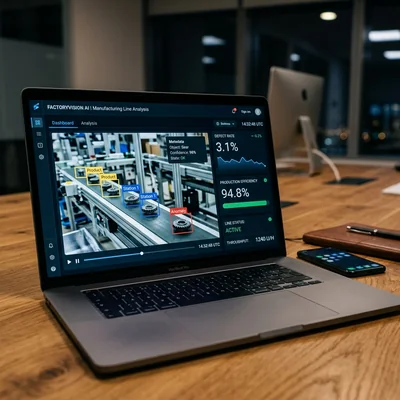
Computer vision system dashboard for manufacturing quality control on a laptop screen

Computer vision (CV) is when cameras and AI models look at photos or video and answer business questions: is there a defect on a part, is a parking spot free, does the shelf match the planogram, who entered the hall. It is not “camera magic,” but a chain camera → model → rule → action in your systems. Below - where CV actually pays off, what makes up the budget, and how much a pilot, cloud API, and industrial rollout cost in 2026.

  • Core idea - a model recognizes objects, defects, text, faces, or events in images and video
  • Where it works - manufacturing, retail, logistics, security, documents, agriculture
  • API budget - from $0.50-3 per 1,000 frames on cloud services; SaaS - $100-2,000/mo
  • Pilot (MVP) - usually $3,000-15,000 and 3-8 weeks
  • Production on a line / store chain - $20,000-120,000+ with cameras, integrations, and training
  • Main risk - buying an “AI camera” without data, quality metrics, and a process owner

Read more

Rufat Nuriyev updated

AI API token billing calculator on a laptop screen

The API bill often surprises more than the sticker price: the model charges per input and output token, not per “one request.” Below - how OpenAI, Claude, and Gemini billing works, how to forecast a monthly budget, and where businesses usually overpay.

  • Token - the billing unit: roughly 3-4 characters or part of a word
  • Input wins on volume, output is pricier per 1M - long context hits the bill harder than a short smart answer
  • Formula - (input_tokens / 1M) × input_price + (output_tokens / 1M) × output_price
  • July 2026 baselines - GPT-5.6 Luna/Terra/Sol, Claude Sonnet 5 / Opus 4.8 / Fable 5, Gemini 3.5 Flash / 3.1 Pro
  • Hidden costs - system prompt, chat history, RAG chunks, retries, tool calls
  • Savings - smaller model for routine, caching/batch, trimmed context, escalate to a flagship only on hard cases

Read more

Rufat Nuriyev updated

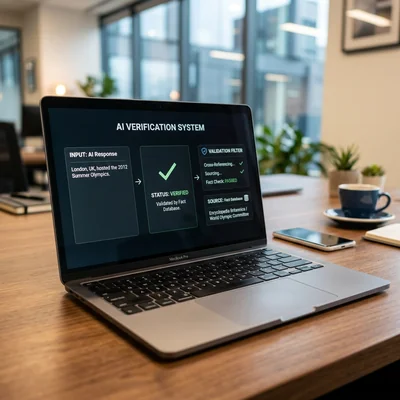
Interface of an AI hallucination verification and filtering system on a laptop screen

An AI hallucination is a confident, coherent, and plausible model answer that does not match the facts, your knowledge base, or the real state of your systems. For business the danger is not awkward wording - it is output that looks ready to act on: prices, deadlines, legal wording, order statuses, code advice. Below - what hallucinations are in plain language, where risk is critical, and a practical set of controls that cut damage without abandoning AI.

  • Hallucination - a plausible but false or unverifiable LLM answer
  • Risk - decisions, money, customers, reputation, and legal wording
  • Causes - missing context, stale data, weak prompt, no verification
  • Mitigation - RAG, grounded answers, human-in-the-loop, evals
  • No silver bullet - even a strong model errs; you need a control architecture
  • Start - one scenario with an error KPI, not “AI everywhere at once”

Read more

Rufat Nuriyev updated

Dashboard comparing three corporate AI platforms on a laptop screen

By mid-2026, three ecosystems dominate corporate AI: ChatGPT (OpenAI), Claude (Anthropic), and Gemini (Google). All offer chat, APIs, document work, and agents - but they differ in reasoning depth, office-stack integration, data policy, and price per token. Below is a practical comparison for business owners and CTOs: when to pick one platform, when a hybrid makes sense, and how to avoid overpaying for the “trendy” model.

  • ChatGPT - the most mature ecosystem: GPT models, Custom GPTs, Agents, Office/Azure ties
  • Claude - stronger on long documents, careful code, and safer workflows
  • Gemini - better inside Google Workspace and for multimodal tasks
  • Choice - by use cases and data policy, not by “who is smarter this week” benchmarks
  • Common stack - one model for team chat + a second via API for the product
  • Combo - prompt engineering, context engineering, and RAG matter more than the model logo

Read more

Rufat Nuriyev updated

Interface of a structured business prompt template on a laptop screen

Prompt engineering for business is not “knowing how to write nicely in ChatGPT.” It is a systematic practice of writing instructions for LLMs so that marketing, sales, support, and analytics get a predictable result: the right format, tone, facts, and constraints. Unlike a one-off chat, in a company a prompt becomes part of a process - a team template, a system instruction for a chatbot, or a layer next to context engineering and RAG. Below - what that means in practice, which techniques work in 2026, and how to roll it out without chaos where “everyone has their own prompt in notes.”

  • Prompt - the input instruction: role, task, format, examples, prohibitions
  • For business - repeatability, quality control, and lower risk of model errors
  • Foundation - role + goal + task context + response structure + done criteria
  • Techniques - few-shot, step chains, JSON schemas, checklists, human-in-the-loop
  • Boundary - a prompt does not replace company data; documents and pricing need RAG
  • Stack - prompt + context + tools/agents deliver a stable product, not a “lucky chat”

Read more

Rufat Nuriyev updated

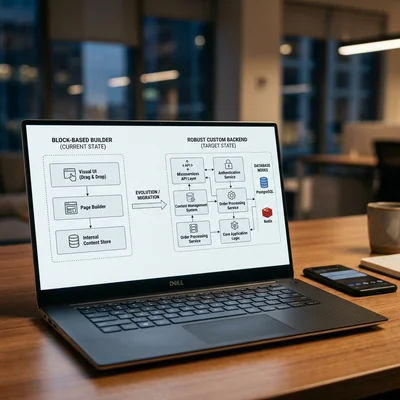
Architecture diagram of transitioning from a block builder to a custom backend on a laptop screen

Tilda is excellent for getting started: you can quickly build a landing page, showcase, or simple catalog without a developer. But a growing business often hits the website builder's ceiling - in integrations, SEO, speed, access rights, and the cost of changes. Below are seven practical signs that it is time to move from Tilda to your own website (often Django/Python or WordPress + custom development), how to distinguish “we are tired of the builder” from a real need, and how to migrate without losing traffic.

  • Tilda is suitable - for a landing page, MVP, local service, or simple content website
  • It is time to move - when your product, sales, or operations become more complex than block templates
  • 7 signs - integrations, SEO, load, roles, store, technical debt, economics
  • Your own website - not “prettier,” but control over the stack, data, and logic
  • Migration - gradual: preserve URLs, SEO, and forms; do not rebuild the site overnight
  • Alternatives - Tilda vs WordPress vs Django for the task, not “because it is trendy”

Read more

Contacts